







On this page
Business solutions · TAVIAR
Fixed and variable barcode labels matched to your workflow
From product identification to serial numbering: define label information, what changes per item and how the code is used after application.
Solutions for your needs
Fixed barcode
The same code is repeated on products of the same type, according to the data you provide.
Variable numbering
A different identifier for each item, according to a defined list or sequence.
Information from a file
Check the data structure and artwork compatibility before producing the series.
What should I check before printing a barcode?
Define code type, content, label size and scanner. A printed code does not itself create a database: ensure the receiving system recognises the data. Before large-scale production, test sample readability with your equipment and working conditions.
How to get started
- Tell us your needsApplication, dimensions, quantity and a photograph of the product or surface.
- Check compatibilityMaterial, adhesive, artwork and workflow.
- Receive a structured quotationThe configuration and details are approved before ordering.
The complete guide: Fixed and variable barcode labels
Fixed and variable barcode labels: what is the difference?
With a fixed barcode, the same code appears on every label in the series. Variable barcodes identify different units or records. Sequential barcode labels contain a number sequence, but not every variable data file has to be sequential. Before printing, define what the code identifies and how the information is used in the business system.
Sequential barcodes, inventory and product identification
Labelling products, packaging and stock items starts with linking the code to the data in the system. Printing a number on a label does not itself create an inventory record or product association. When preparing variable-data work, define the number range or data file, copies per code and printing order. Check for unintended duplication.
Dimensions, material and scanner readability
Choose dimensions that allow adequate space for the barcode and human-readable information. Test the sample with your scanner and system before quantity printing. Specify the surface and usage conditions to assess material and adhesive. For in-house printing, also check the printer, roll, software and ribbon if required.
Ready-printed labels or in-house barcode printing
For ready-printed labels, approve the file and sample in advance. If data changes frequently, enquire about an in-house printing solution. The decision depends on the workflow and information requiring updates. A proper quotation must define quantity, configuration and data without assuming every printer or scanner supports every code.
Frequently asked questions about Fixed and variable barcode labels
What is a sequential barcode?
This identification uses a defined number sequence. Set the first and last number, copies per number and relationship to system information. Approve the sequence and print sample to prevent duplicate numbers or an unsuitable order.
Can I print non-sequential codes?
The original page also refers to barcode groups that are not directly sequential. Provide the data list and number of copies in the enquiry. File and code structure and the feasibility of the required production are then checked.
How do I make sure the barcode can be scanned?
Test a sample at final size with the scanner the business will use and the system receiving the data. Allow space for the code and avoid crowded graphics around it. Printing and media compatibility must be assessed before quantity orders, not from a mock-up alone.
What should I send to receive a quotation?
Prepare dimensions, quantity, artwork and a description of the surface and usage environment. For equipment or rolls for an existing printer, include the model details. This establishes a clear configuration and comparable options for the same task without relying on an old quotation or illustration.
How is the job approved before production?
Agree on content, dimensions, material, quantity and quotation contents. Check artwork at actual size and a sample where compatibility testing is required. Turnaround, availability and shipping details apply to the particular job, not as a blanket commitment from the information page.
Details to compare before choosing
| Subject | What to submit for checking |
|---|---|
| Surface and application | Product or packaging type and exposure to water, sunlight or cleaning |
| Dimensions and quantity | Width, height, number of designs and quantity per design |
| Printing | Fixed artwork or variable information; printer model for in-house printing |
| Approved configuration | Material, adhesive, finish and production details according to quotation |
You can order ready-made identification labels and apply them at your business. We will check code type, dimensions, material and quantity, and define… A solution for identifying series in which each item has a different identifier. Before quoting, we will check the data structure and barcode type… Non-top-coated direct thermal label, 50×25 mm, for product and barcode identification inside the business. Suitable for use without exposure… Handheld barcode reader from the Zebra / Symbol LS2208 family, for one-dimensional barcode scanning at checkout stations and in everyday work. Configuration…Relevant catalogue products
All labels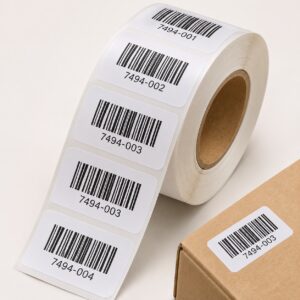

Producing barcode label rolls ready for application
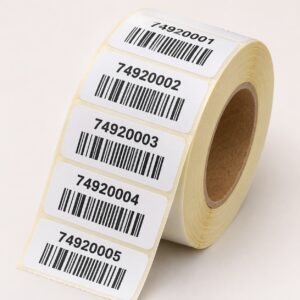
Labels with variable numbering and a barcode for each item
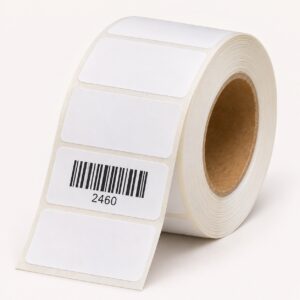
Thermal labels, 50x25 mm - non-top-coated direct thermal
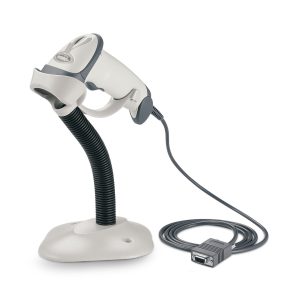
Zebra (Motorola) LS-2208 handheld barcode reader
More solutions that may suit you
Fixed code or variable data on each label?
A fixed code can use the same value throughout the series. With variable data, define the source of each value and its print order. Specify whether it is a SKU, serial number or other information, and whether the same information also appears as readable text.
Check the file before producing a quantity
Prepare representative records, including the longest value and any leading zeros. Check for unintended duplicates and confirm the target system reads the code. Symbol type and size depend on the application; printing a code does not itself allocate a standard product identifier.
Barcode label printing: separating design from data
Fixed barcodes, numbering and variable text
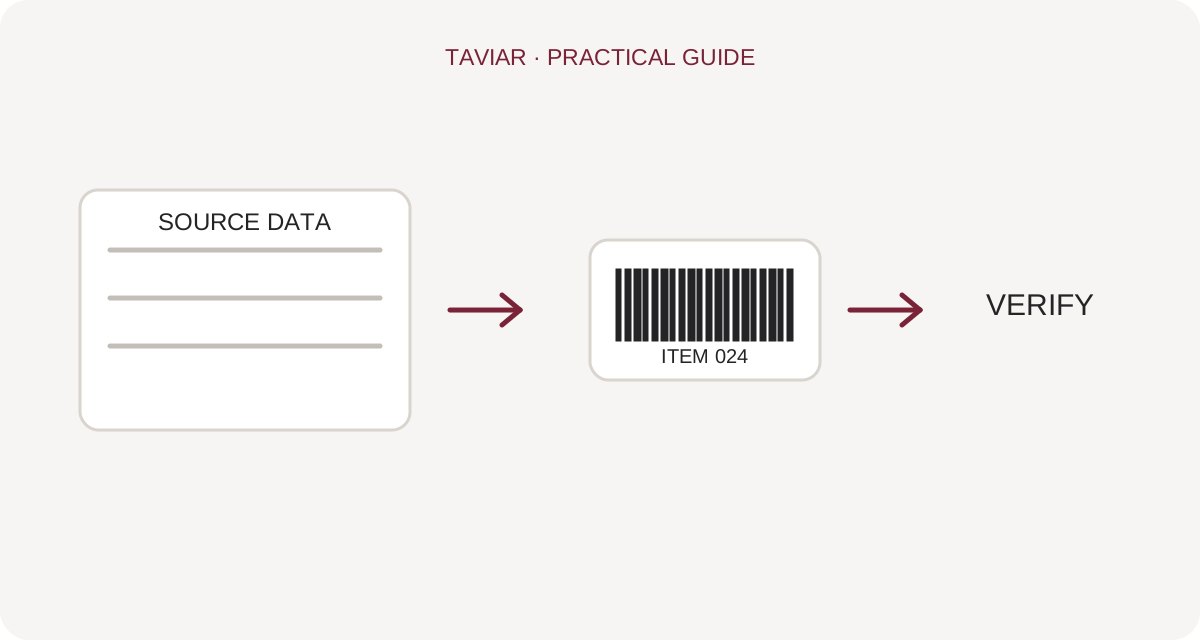
Define whether all labels carry the same code, a number sequence is required or each label comes from a file row. When printing barcode labels from Excel, maintain a clear column for each data field and do not mix instructions into product values.
To continue checking, see Label production software.
Preserve leading zeros and correct identification
Check the data before production, especially codes with leading zeros. Approve a sample of several records, including short and long values. Creating a barcode image does not allocate a standard product number; where a code is needed for external use, confirm the identification source and requirements with the relevant body.
To continue checking, see Selecting a suitable barcode reader.
Check printing and scanning too
Leave an appropriate clear area around the code and do not shrink it simply to add text. Scan a sample from the final print in the intended system. Check that it matches the correct record and that visible information does not contradict the scanned value.
To continue checking, see Guidance on labels and data.







