
Nationwide shipping · Personal guidance in choosing labels, printers and scanners25 HaMerkava Street, Holon · Sun-Thu 09:00–17:00 · 050-257-2226 · WhatsApp

Printing jewellery price labels

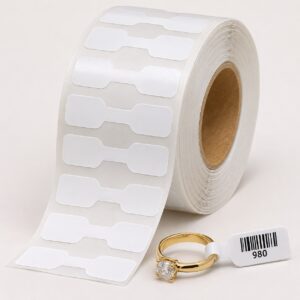
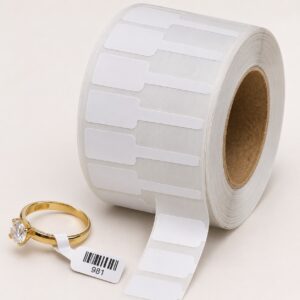
Solutions for printing prices and information on jewellery tags. Plan the printable area, tag content and attachment to the item, and check a sample before ordering a quantity.

40 products

Label printing equipment, in one place

To print labels in your business, you need compatible components: a printer, labels in the right size and material, a ribbon if the printer uses thermal transfer, and label design software. A barcode scanner completes the setup at the checkout and in the warehouse.

Not sure what suits you?

Tell us what you are marking, the size and the quantity, and we will match a printer and consumables. You can also choose a ready-made bundle by business type.

Frequently asked questions

Do you ship nationwide?

Yes, nationwide shipping is available at an additional charge. The shipping cost appears on the order.

How do you know which ribbon fits a printer?

The ribbon is chosen according to the printer model, label width and material type. Send us your printer model, and we will check that the ribbon is compatible.

How is a bundle different from buying each product separately?

In a bundle, the items have already been selected to work together: labels in a size and material suited to the printer, and a ribbon matched to the model. You receive one quote, and everything arrives together.

More information about Printing jewellery price labels

Price and barcode on a jewellery tag

Space is small, so start with essential information: price, SKU and barcode if used. Check the print area after attaching and folding the tag, not just its outer dimensions. Branding should fit without impairing readability.

Print and scan testing

Specify the tag type and existing printer and ribbon, if any. Prepare a sample containing the longest text and the code used by the shop. If the code must be read at the till, check the entire path from printing to recognition in the software before producing a batch.


Updates from TAVIAR

New for your business, straight to your inbox

Printing tips, new solutions and offers on business labels and equipment.

Ariel at TAVIARHelp choosing, with no commitment

Can we help you choose?

Leave your phone number. Ariel will help find labels and equipment suited to your business.

Your details will be used to handle the enquiry, even if it is unfinished. Privacy policy