







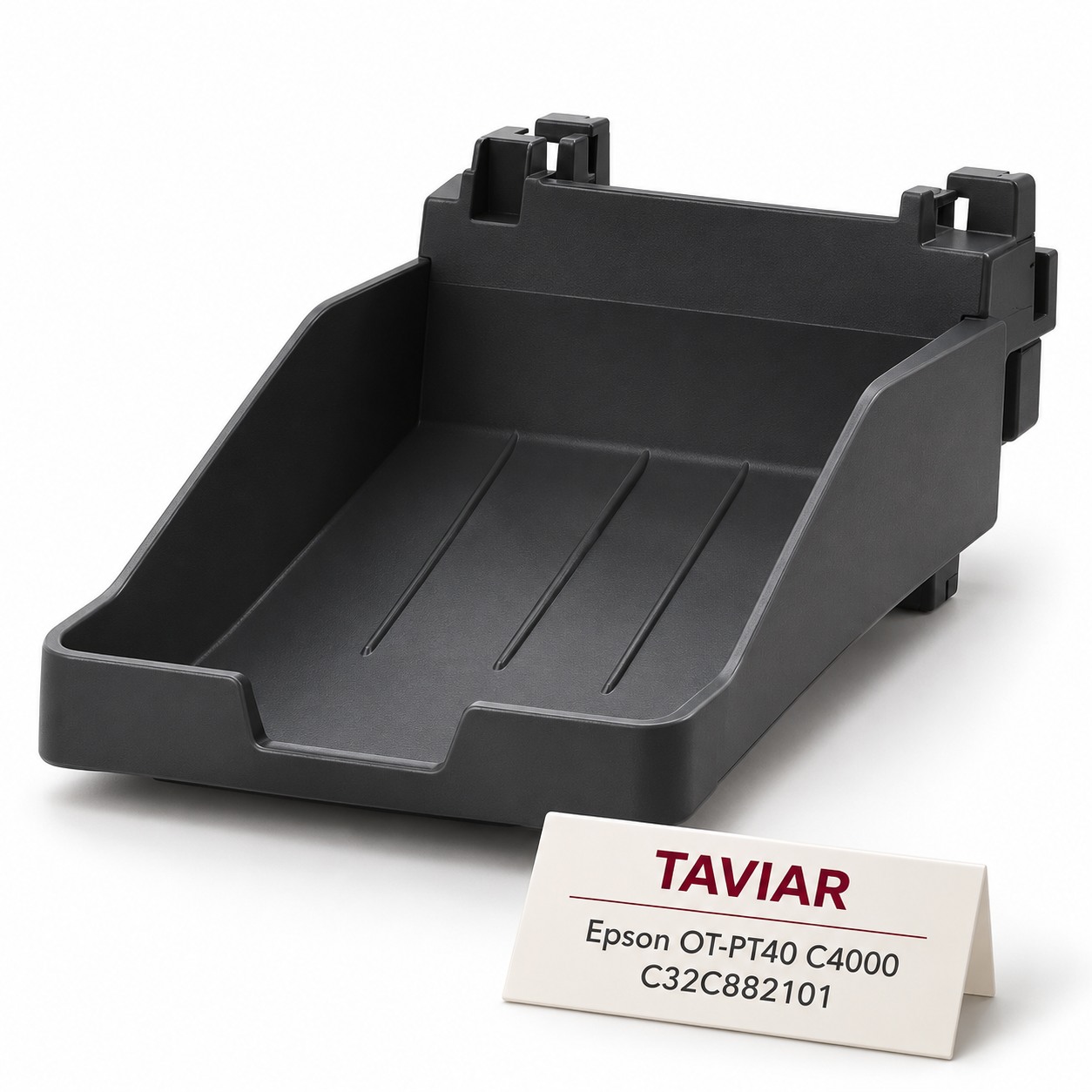

Epson OT-PT40 label output tray for C4000 | C32C882101
Epson OT-PT40 tray, SKU C32C882101, for collecting labels at the output of a compatible C4000 printer. Before ordering, check label dimensions, media format and whether the tray was already supplied with the printer.
Illustration of the product type, not a photograph of the exact model.
Product details
The tray is an optional accessory or spare part, not an ink consumable. Epson specifies a minimum label 3 inches wide and 2.1 inches long, and a maximum 4.13 inches wide and 5.8 inches long. Do not extend these figures to roll width or all C4000 media.
Product specifications
| Manufacturer | Epson |
|---|---|
| Family | OT-PT40 |
| Manufacturer SKU | C32C882101 |
| Colour / version | Output tray |
| Verified compatibility | Epson ColorWorks CW-C4000 Gloss / Matte and CW-D3800 according to the Epson US page |
| Order contents | One OT-PT40 tray; printer not included. Accessory package contents require supplier confirmation |
| Product type | Genuine Epson accessory |
| Label dimensions according to the manufacturer | Minimum 3 inches wide × 2.1 inches long; maximum 4.13 inches wide × 5.8 inches long |
How do I confirm compatibility with my printer?
Check the exact model, sales region, cutting workflow and label dimensions. The Epson US page verifies C4000 Gloss/Matte; compatibility with the European C4000e requires model confirmation. Check the invoice and package contents before purchasing another tray.
Replacement and use according to Epson
According to the Epson CW-C4000 series manual, the tray temporarily collects labels from 76×54 to 105×148 mm (width × length). Roll labels may curl and slide off as they accumulate.
- Hang the tray on the hooks beneath the paper output guides.
- Pull the lever at the bottom right to release the lock.
- Extend the tray until the length marking matches the label length.
- Push the lever back to lock.
Epson manual - tray installation on pages 84-85 · View tray photographs on the Epson website
Frequently asked questions
Does it fit every C4000?
The Epson US page lists C4000 Gloss and Matte. For C4000e, confirm the regional model before ordering.
Is the tray already included with the printer?
This cannot be assumed for every package. Check the contents list for the supplied part number and the equipment you received. The tray is not listed on the current US page, but that does not establish the contents of every regional package.
Which label sizes are supported?
According to Epson: minimum 3 × 2.1 inches and maximum 4.13 × 5.8 inches, width × length.
Does it suit my workflow?
Send printer model, media type, label dimensions and cutting shape. We will check compatibility before quoting.
Compatibility check and quotation
Send us a photograph of the model plate, existing SKU and required quantity. We will check compatibility and provide a quotation with confirmed price, contents and delivery time.
Request a quotation and compatibility check
Printers and complementary consumables
Epson ColorWorks C4000 colour label printer · SJMB4000 waste ink tank for CW-C4000 · Ink and consumables for colour label printers
Technical specifications
| Application area | Colour label printer maintenance |
|---|---|
| Configuration | According to model/material specified in the quotation |
| Series or code from the source | OT-PT40 · CW-C4000 |
| Accessory SKU | OT-PT40 / C32C882101 - output tray for CW-C4000 |
| Brand | Epson |
Complementary products
More products to complete the identification and printing process. We will check suitability for your application.







