







On this page
Business solutions · TAVIAR
Printers and barcode scanners for everyday work
For checkout, warehousing, shipping and jewellery tagging: select equipment according to what is printed and scanned, the working environment and systems already in the business.
Solutions for your needs
Label printers
Print width, quantity and media type as required.
Barcode scanners
Choose according to code type, connection and working environment.
Integrated solution
You can enquire about a combination of printer, labels, ribbon and software.
Start with an actual work sample
Prepare a label and barcode sample, required connection type and software or checkout name. Compatibility must be confirmed for the particular model and configuration. Package contents, price and warranty are assessed in the quotation, not inferred from another model's description.
How to get started
- Tell us your needsApplication, dimensions, quantity and a photograph of the product or surface.
- Check compatibilityMaterial, adhesive, artwork and workflow.
- Receive a structured quotationThe configuration and details are approved before ordering.
The complete guide: Printers and barcode scanners for businesses
Printers and scanners: start with the workflow
Label printers and barcode scanners have complementary roles: the printer produces a label, and the scanner reads the code and sends it to the system. Before choosing equipment, describe item types, usage location and data to produce or capture. Checkout, warehouse and shipping workflows may need different connections and handling.
Godex EZ 520 and more equipment in the catalogue
Godex EZ 520 is listed on the website as part of our business printing solutions. Check the model, consumables and configuration against your labels and software. Bundle contents, warranty and price are taken from the current page and quote, not historical text. To choose a scanner, specify the barcode type and required connection.
Label sample, software and connection
Prepare a label and code sample, software or checkout name and existing equipment model. Specify whether work is stationary or mobile. This allows an integrated solution and its contents to be checked rather than ordering separate components without checking compatibility.
Details to compare before choosing
| Subject | What to submit for checking |
|---|---|
| Work type | Label and barcode sample, quantity and workflow |
| System and connection | Software or checkout name and required connection type |
| Equipment configuration | Model, accessories and consumables included in the quotation |
GoDEX EZ 520 label printer for business use. We will check label and ribbon configuration, software compatibility and package contents… Desktop label printer with 203 DPI resolution, for direct thermal printing or with a ribbon. Maximum print width 108… Handheld barcode reader from the Zebra / Symbol LS2208 family, for one-dimensional barcode scanning at checkout stations and in everyday work. Configuration… Wireless Linear Imager scanner for one-dimensional barcodes (1D). Consider it for checkout and business scanning, with…Relevant catalogue products
All printers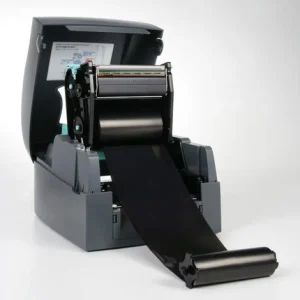

Godex EZ 520
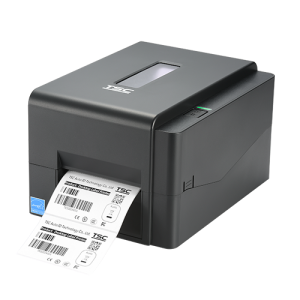
TSC TE210 - label printer
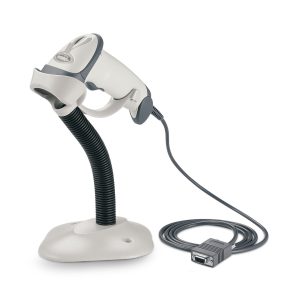

Zebra (Motorola) LS-2208 handheld barcode reader
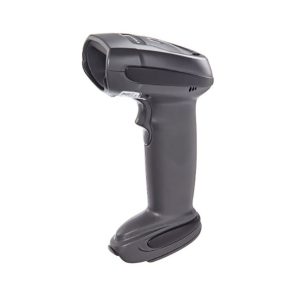
Zebra (Motorola) LI-4278 wireless barcode reader
More solutions that may suit you
Questions to clarify before ordering
How do I choose a printer and scanner for one workstation?
Define code types, label size, software and connection method. Check scanner data is received correctly by the system.
Does every scanner also read QR?
No. Distinguish one-dimensional and two-dimensional scanning and check the exact model specifications. Send code samples before choosing.
What is included in an equipment package?
Package contents are set in the quotation: a printer, consumables, scanner, cables or software are not automatically included merely because they appear in an illustration.







