







On this page
Business solutions · TAVIAR
A printer for designed labels, for your business workflow
Price, barcode, logo or serial number: we will assess what you want to print, quantity and colours to select a solution for everyday work.
Solutions for your needs
Price and barcode
Printing variable information according to business needs.
Label design
Check software, fonts, size and readability before selecting equipment.
Colour branding
Distinguish between a thermal printer, colour printing and ordering preprinted labels.
Printer, label and ribbon must work together
Send a design sample, dimensions, estimated quantity and usage conditions. Not every printer prints in colour, and not every material suits every printing method. If the design is identical throughout the order, also compare preprinted roll labels.
How to get started
- Tell us your needsApplication, dimensions, quantity and a photograph of the product or surface.
- Check compatibilityMaterial, adhesive, artwork and workflow.
- Receive a structured quotationThe configuration and details are approved before ordering.
The complete guide: Printer for designed labels
A label printer or printing designed labels?
These are two processes that can be chosen according to the job. Label printer It is used in a business when information such as prices, barcodes and dates needs updating. Enquire about ready-printed designed labels where artwork is fixed or there is a series of designs. Fixed branding can also be combined with information added in-house, after checking compatibility.
Custom-designed labels for products and packaging
The design must retain a clear logo and readable information at actual size. Define label shape, dimensions and product type. The original page presented product branding solutions; choosing a design does not replace assessment of material, adhesive and printing for the usage environment.
Choosing a printer and design software
For in-house printing, define the information, label width, quantity and computer connection. The catalogue includes printers, ribbons and label design software. Check the software and media against the required model and configuration. Do not assume every model prints in colour or supports every material and file.
What should I prepare to get a suitable solution?
Prepare artwork or a label sample, specify what varies between units and the required business pace. Send existing equipment models and roll types. The quotation defines included equipment, consumables and work rather than inferring package details from a general example.
Frequently asked questions about Printer for designed labels
When should I consider in-house printing?
Where information changes during work, such as prices, barcodes or dates, enquire about a business printer and rolls. Selection depends on quantity, dimensions, material and software. Show a work sample to assess the configuration rather than choosing by printer name alone.
Can the logo be used in the label design?
Yes, enquire about branded labels using your logo and artwork. Check file quality, dimensions and readability at print size. If information varies, specify fixed and changeable areas in advance to match the workflow.
Does every printer suit designed labels?
No. Check printing method, media width, software and material for the model. Any required ribbon is also selected by application. Equipment or ready-printing quotations will be based on your sample and requirements.
What should I send to receive a quotation?
Prepare dimensions, quantity, artwork and a description of the surface and usage environment. For equipment or rolls for an existing printer, include the model details. This establishes a clear configuration and comparable options for the same task without relying on an old quotation or illustration.
How is the job approved before production?
Agree on content, dimensions, material, quantity and quotation contents. Check artwork at actual size and a sample where compatibility testing is required. Turnaround, availability and shipping details apply to the particular job, not as a blanket commitment from the information page.
Details to compare before choosing
| Subject | What to submit for checking |
|---|---|
| Work type | Label and barcode sample, quantity and workflow |
| System and connection | Software or checkout name and required connection type |
| Equipment configuration | Model, accessories and consumables included in the quotation |
GoDEX EZ 520 label printer for business use. We will check label and ribbon configuration, software compatibility and package contents… Desktop label printer with 203 DPI resolution, for direct thermal printing or with a ribbon. Maximum print width 108… At TAVIAR, you will find every type of ribbon. The ink suits all barcode printer types: Datamax printer, Zebra printer,… Transparent label combining information and branding without concealing packaging. We will assess contrast, material, adhesive and readability on…Relevant catalogue products
All printers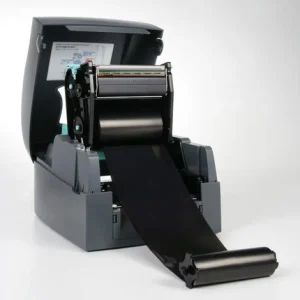
Godex EZ 520
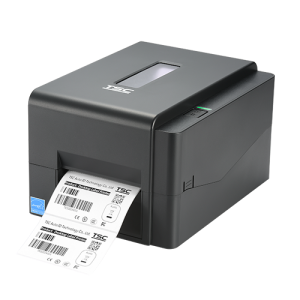
TSC TE210 - label printer
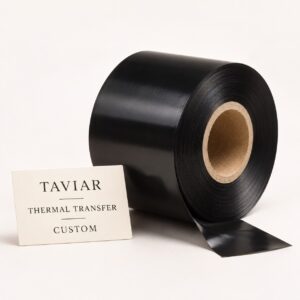

Ink (ribbon) for a barcode printer
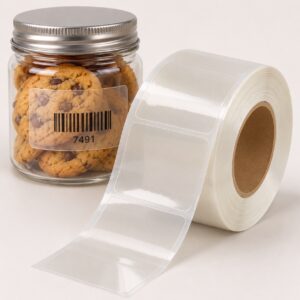
Clear labels for packaging and product branding







