


Interlocking digits or a price rail: how do you choose for your shop?
On this page
Two solutions can show the same price but work very differently day to day. Before choosing by image colour, check assembly, available space and the action staff must perform for each update.
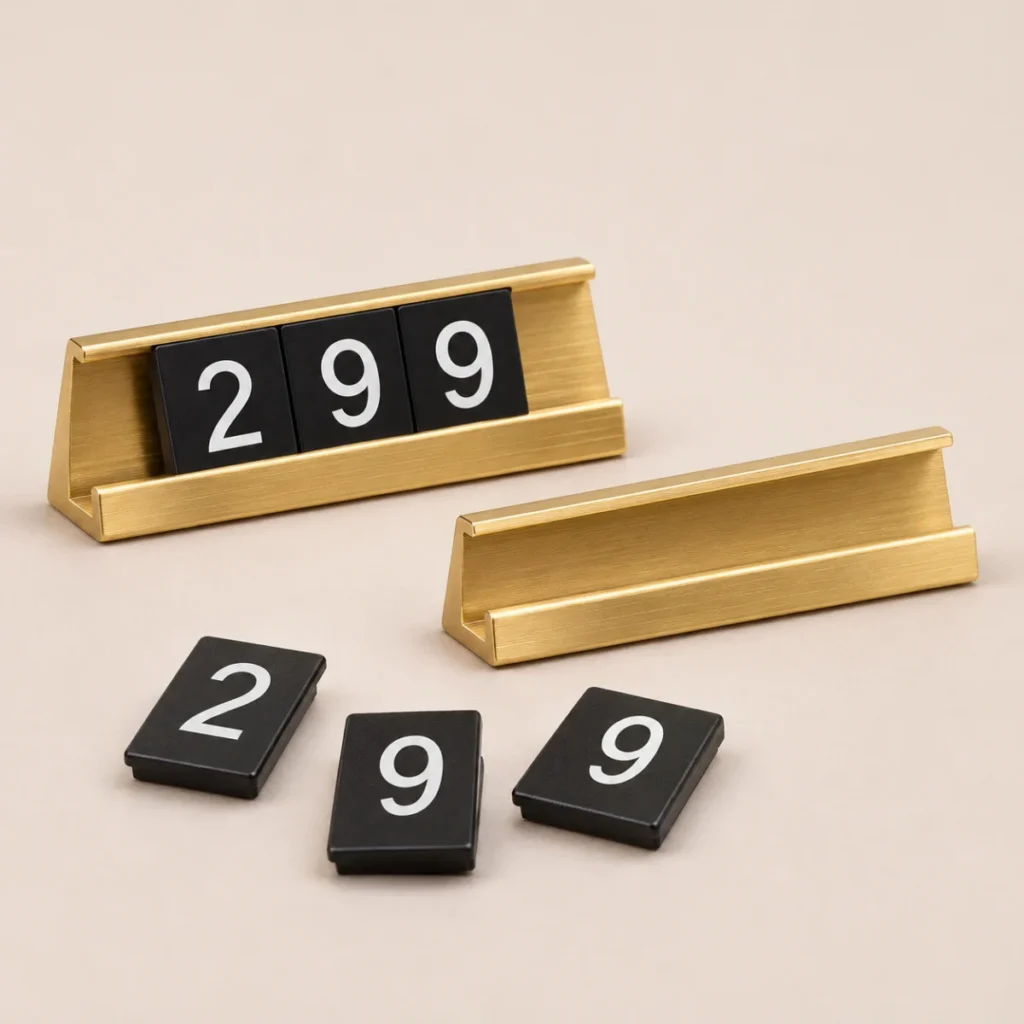
What holds the digits?
Interlocking digits connect directly to one another. With a rail, the holder forms part of the system. When assessing an existing kit, photograph this difference first: front, side and connection point.
Start with the longest price
Note a representative price and the longest price. Count all digits, separators and currency symbols. Check that the row fits without projecting beyond the shelf or obscuring the neighbouring item.
Test changing prices
Try dismantling and rebuilding one row. Check whether replacing a middle digit requires removing all digits, where spare components are stored and whether the display remains stable. Do not infer mechanisms from a similar-looking model.
Quotation request checklist
- How many prices are displayed at once?
- Which digits occur most often in prices?
- Which display height suits the items?
- Are you adding to an existing kit or starting afresh?
- Are separate bases, rails and currency symbols required?
See the options
Interlocking price digits for jewellery and showcases
Assemble prices from separate digits and position them beside the item. Select configuration, digit quantity and colour to suit the store display. Image…
Price provided in a quotation
Showcase price rails with interchangeable digits
Prices displayed in an organised rail, with digits selected for the price. Colour, dimensions and contents matched to stations…
Price provided in a quotationShowcase price display
Price digits and connecting blocks for positioning beside items in a display case. Plan around available space, number of price positions and the digits to…
Price provided in a quotationShop-window price display
Shop window price display: matching position, contrast and interchangeable digits to products customers see from outside.
Price provided in a quotation
Shop price display
In-store price display solutions: choose a consistent visual language for the display case and shelf, and define quantity and configuration before ordering.
Price provided in a quotation
For an overview of the entire store layout, return to In-store price display guide. If you already have a sample, Send a photograph for a compatibility check.







