







On this page
Video by Prasad. A.P on printing labels using Excel and Word. This is a guide to the Office workflow, not to connecting a database to GoLabel.
Video source: Prasad. A.P
What should I prepare before getting started?
Organise data in a table with clear column headings. Check appropriate formatting of leading zeros, dates and long numbers.
What should I watch for while working?
Define the source data and printed information in advance. Barcode type and generation method must suit the business system; a font alone does not guarantee a valid code.
How do I check the result?
Start with sample records and check table-to-label correspondence, print order and scan readability. Do not send a full customer file when a limited sample can diagnose the problem.
Continue working with suitable equipment
The guide is a visual aid, not an instruction to apply another model's settings. Accessories, consumables and package contents are checked for the product and quotation.
Handheld barcode reader from the Zebra / Symbol LS2208 family, for one-dimensional barcode scanning at checkout stations and in everyday work. Configuration… Non-top-coated direct thermal label, 50×25 mm, for product and barcode identification inside the business. Suitable for use without exposure…Relevant catalogue products
All labels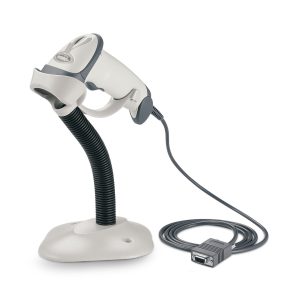

Zebra (Motorola) LS-2208 handheld barcode reader
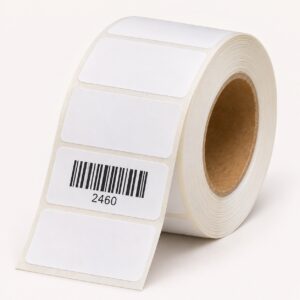

Thermal labels, 50x25 mm - non-top-coated direct thermal
What should I prepare before trying the tutorial?
Prepare a small file with sample records, no personal information, and label dimensions. Check that fields such as SKU retain their exact values, including leading zeros. The aim is to understand the process before applying it to an entire product list.
Check the printed result
Compare file values with label text and test scanning if a barcode is printed. Changing export method or shrinking the page may alter layout. The video shows a particular process; it does not guarantee every Office version, barcode font or printer works in the same configuration.







